 Workstoa
Your Work Never Stops
Step away — the work keeps going
AI gathers the news that matters, promises made in chat become task candidates, and anything that leaves the company waits for your approval. Mail, customer requests, tasks and calendars for every business you run — in one place, priced per workspace, not per seat.
Windows 10 · 11 (64-bit) · macOS and mobile apps are on the way · Now in beta
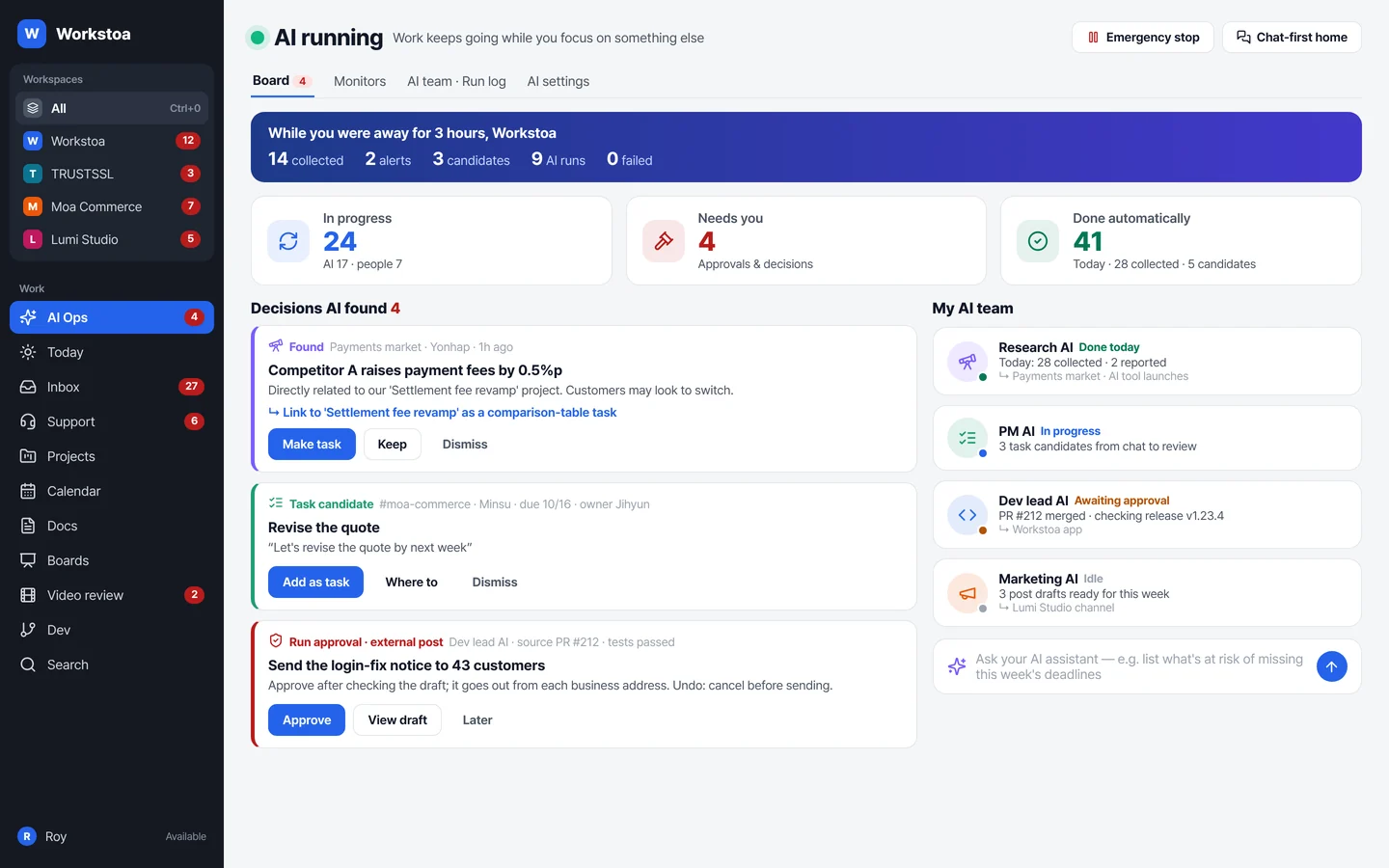
You were away for 3 hours.
What did Workstoa get done?
Open the app again and it's all on one card at the top: what was gathered, what was organized, what needs your call — and what failed.
Relaying and checking go to AI.
Judgment stays with people.
If half your day is passing things along in chat, copying them into docs and asking again — in Workstoa you spend it setting goals and making decisions.
Until now: relay-driven
People carry, ask and verify. Tools wait, and you only know the status if you ask.
Workstoa: goal-driven
The tools come to you first — with signs of outages, slipping tasks, customer complaints and competitor moves.
AI gathers, organizes,
and waits for your approval
AI works like a member of the team, not a feature. What it did, why, and what it cost — all on the record.
Your screen shows
only what needs a call
See the state of the company in three numbers — in progress, needs decision, done automatically — and handle every decision AI found in one list. Prefer a chat-first home? Keep it.
- News, task candidates and run approvals found by AI: [Make task] [Approve] [Dismiss]
- Your AI team: research, PM, dev management and marketing AI at a glance
- One emergency stop button halts every AI run
Not a news summary —
what it means for your work
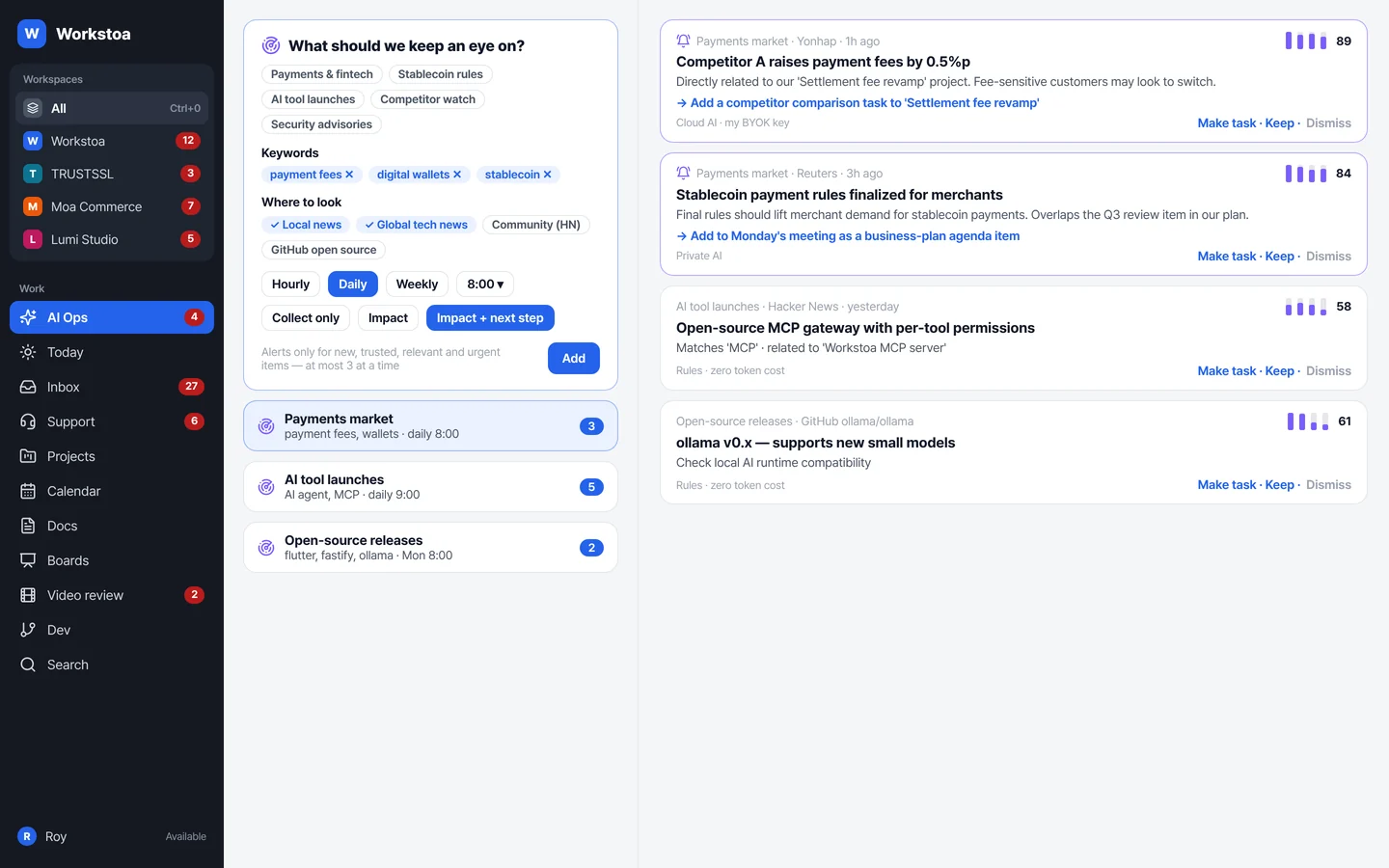
Pick keywords, sources and a schedule, and it gathers every day. It compares what it finds with your goals and projects, then suggests the impact and the next step.
- Local and global news, communities, GitHub, competitor blog RSS
- Alerts only when all four scores pass: new · trusted · relevant · urgent
- e.g. Monday 8 am industry trends → compare with the business plan → meeting agenda
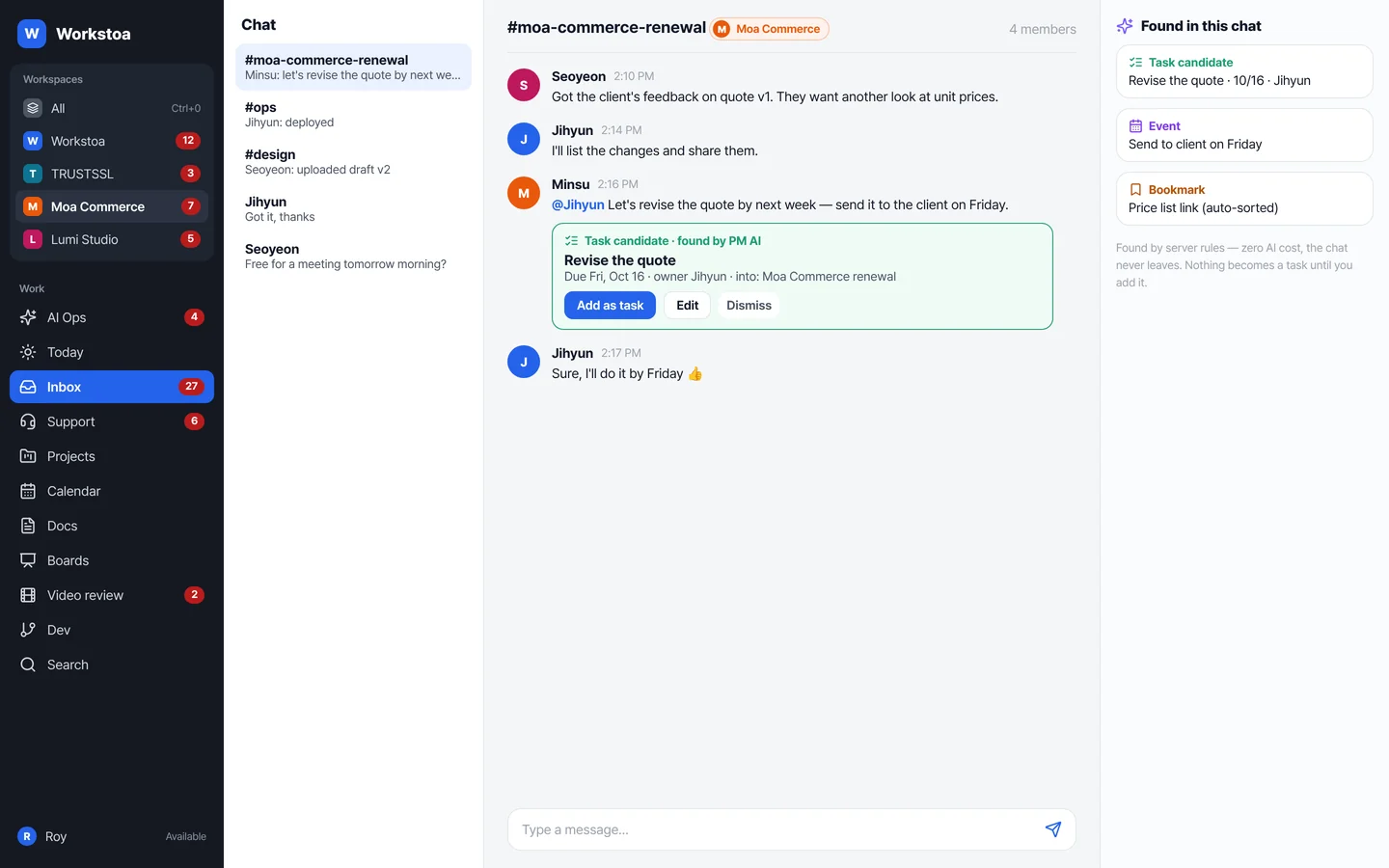
“Let's fix it by next week”
becomes a task candidate
Promises made in conversation are picked up with dates and owners and raised as task candidates. Nothing becomes a task until you press [Add].
- Finds owners and due dates from @mentions, names, weekdays and dates
- Handled by server rules — zero AI cost, conversations never leave
- Once added: a project task, a calendar deadline and a heads-up to the owner
Screens are mock-ups based on real features; data is illustrative.
Not full autonomy —
only as much as you hand over
Anything that goes outside and anything involving money always needs your approval. Widen the scope as trust builds.
Every AI run keeps these six things in its run log. If a date, amount or owner differs from the source, it goes back for approval.
Your AI should belong to you
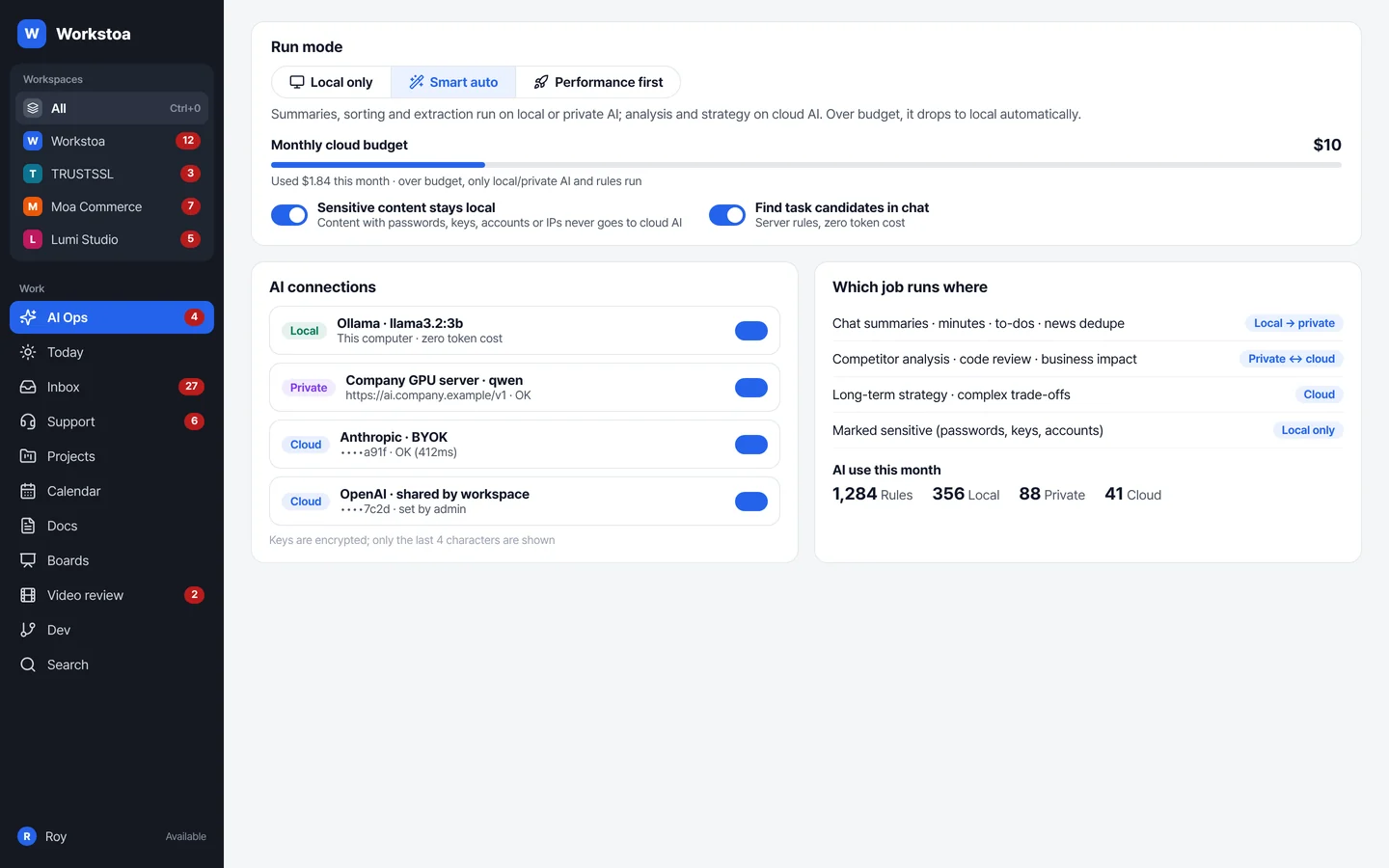
Use your OpenAI, Anthropic or Google key as is, or connect your company's AI server or Ollama on this computer. Workstoa decides which job runs where.
- Choose local only · smart auto · performance first
- Over the monthly budget? It switches to local or private AI automatically
- Content with passwords, keys or account numbers never goes to the cloud
- Keys are stored encrypted; the screen shows only the last 4 characters
Everything AI needs to work with
is already here
Mail, customer requests, projects, calendars. Your company's work lives inside Workstoa, so AI works on it directly instead of borrowing other tools.
Different companies,
one inbox
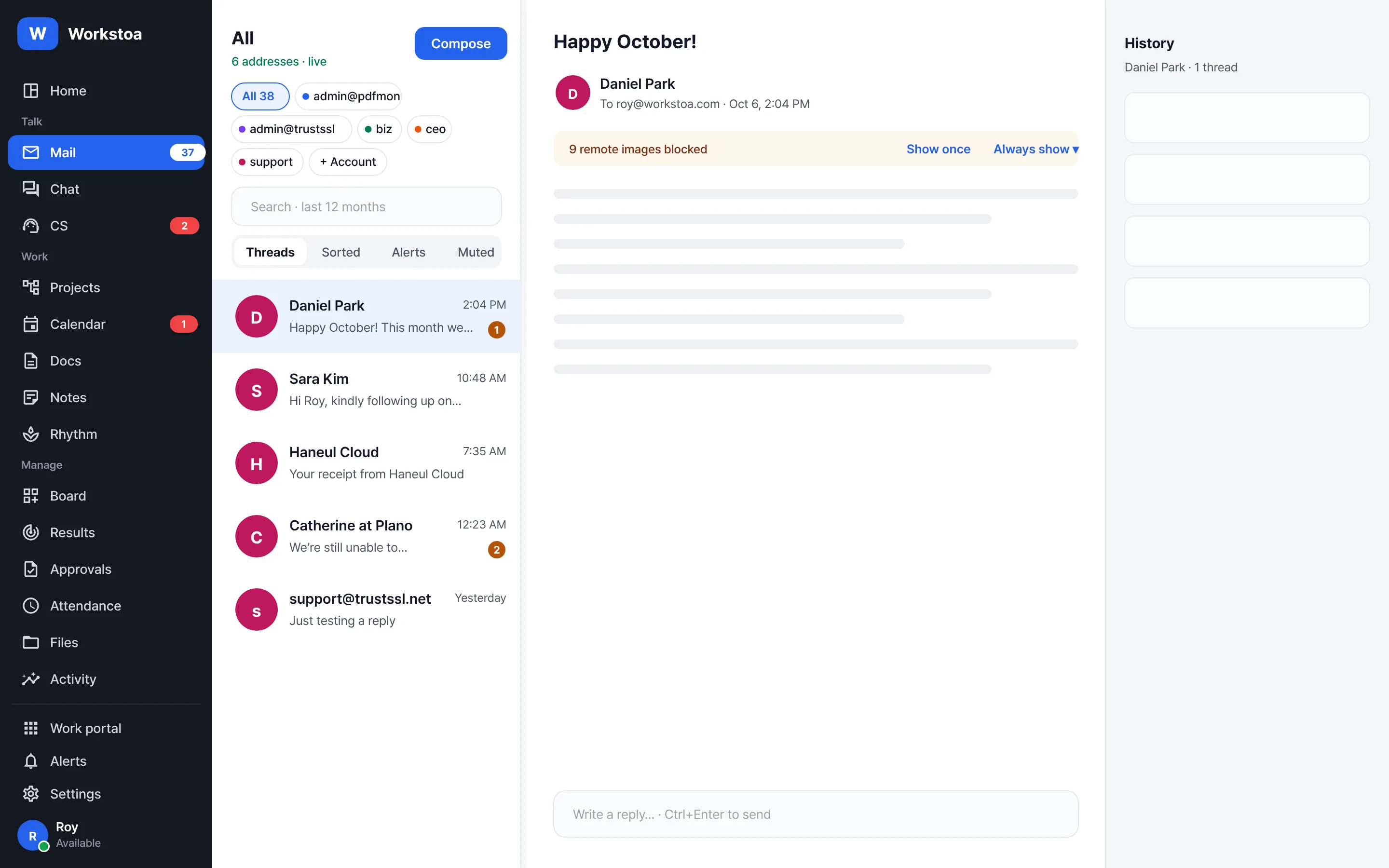
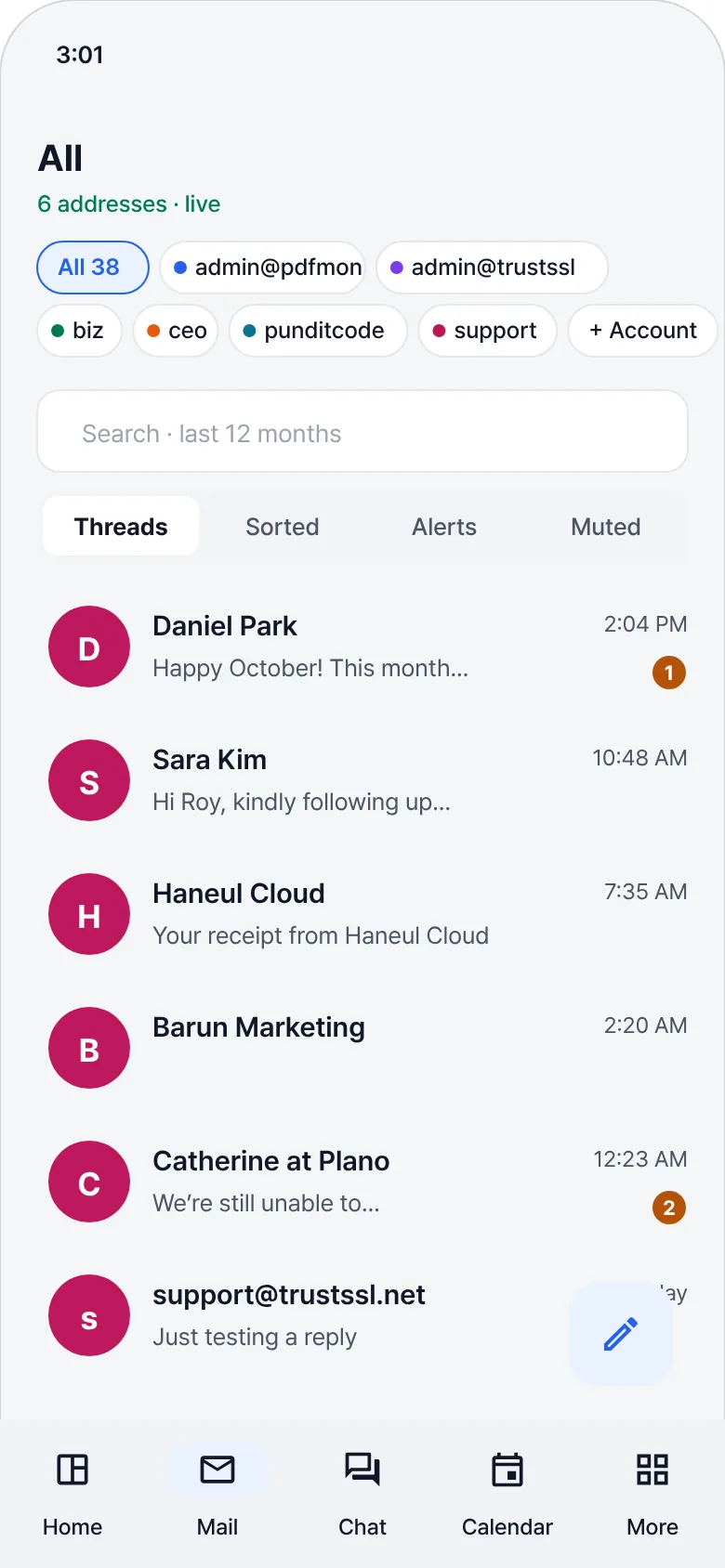
Each company, brand or client gets its own color and initials, and you answer from many addresses in one place. The sending address is always confirmed.
- Switch between all and per-business (Ctrl+1–9)
- Remote images blocked by default — no read tracking
- People you invite join for free
Requests about the same problem
are grouped automatically
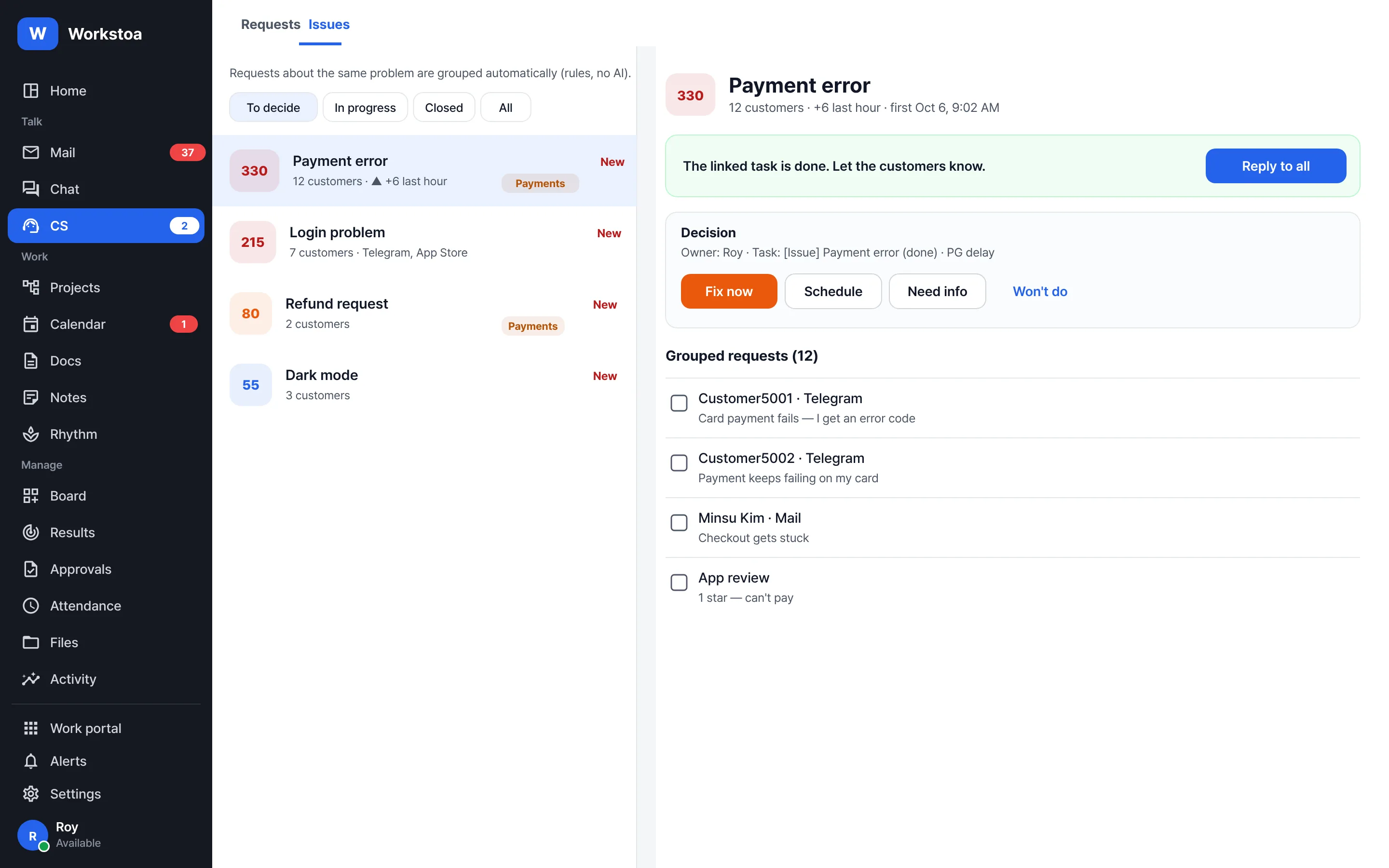
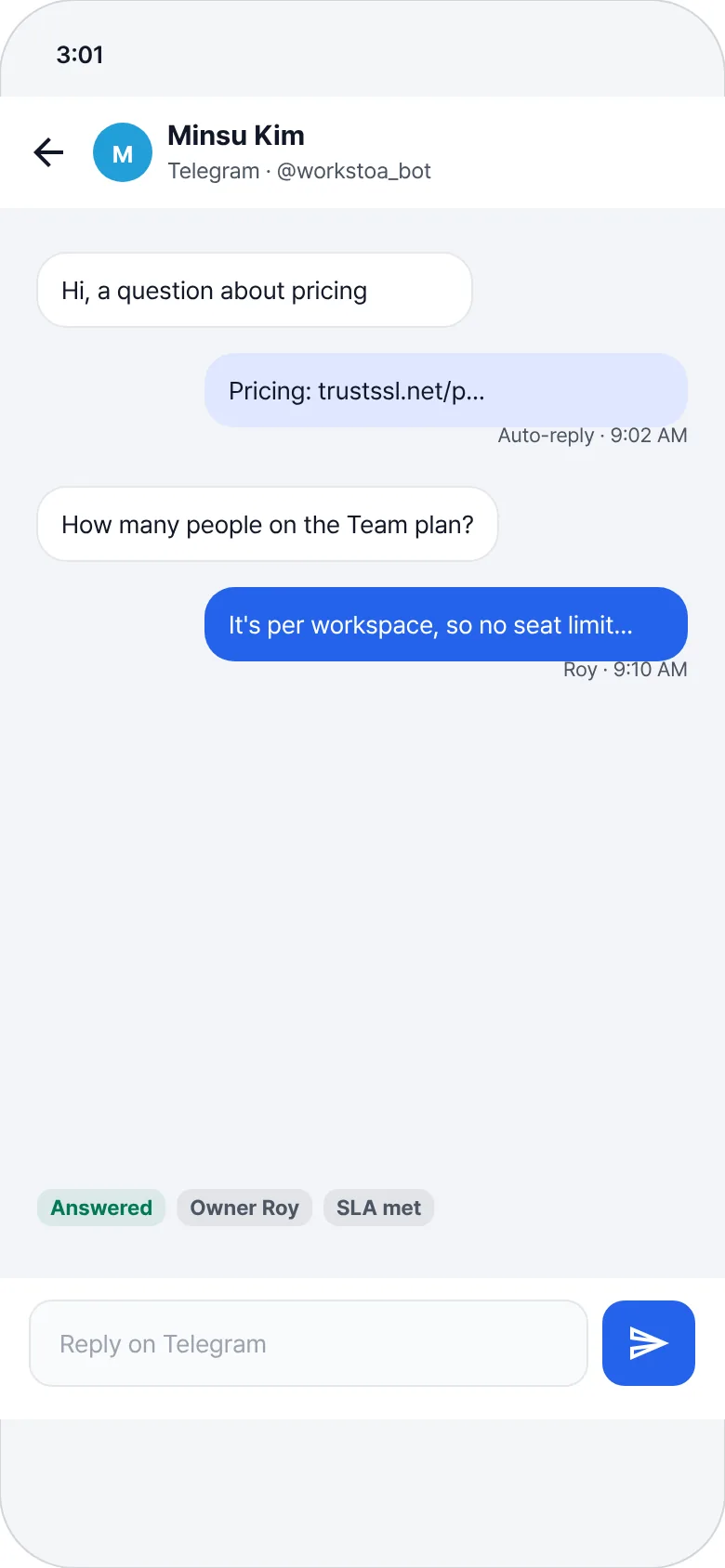
Requests from mail, Telegram and app reviews are grouped and ranked by impact. Fix it once, then answer every grouped customer at once.
- Decide: fix now · schedule · need info · won't do
- Owners and SLAs (first-response deadlines) so nothing slips
- Customer replies are A3 — always sent after approval
Plan without pop-ups,
late work rises to the top
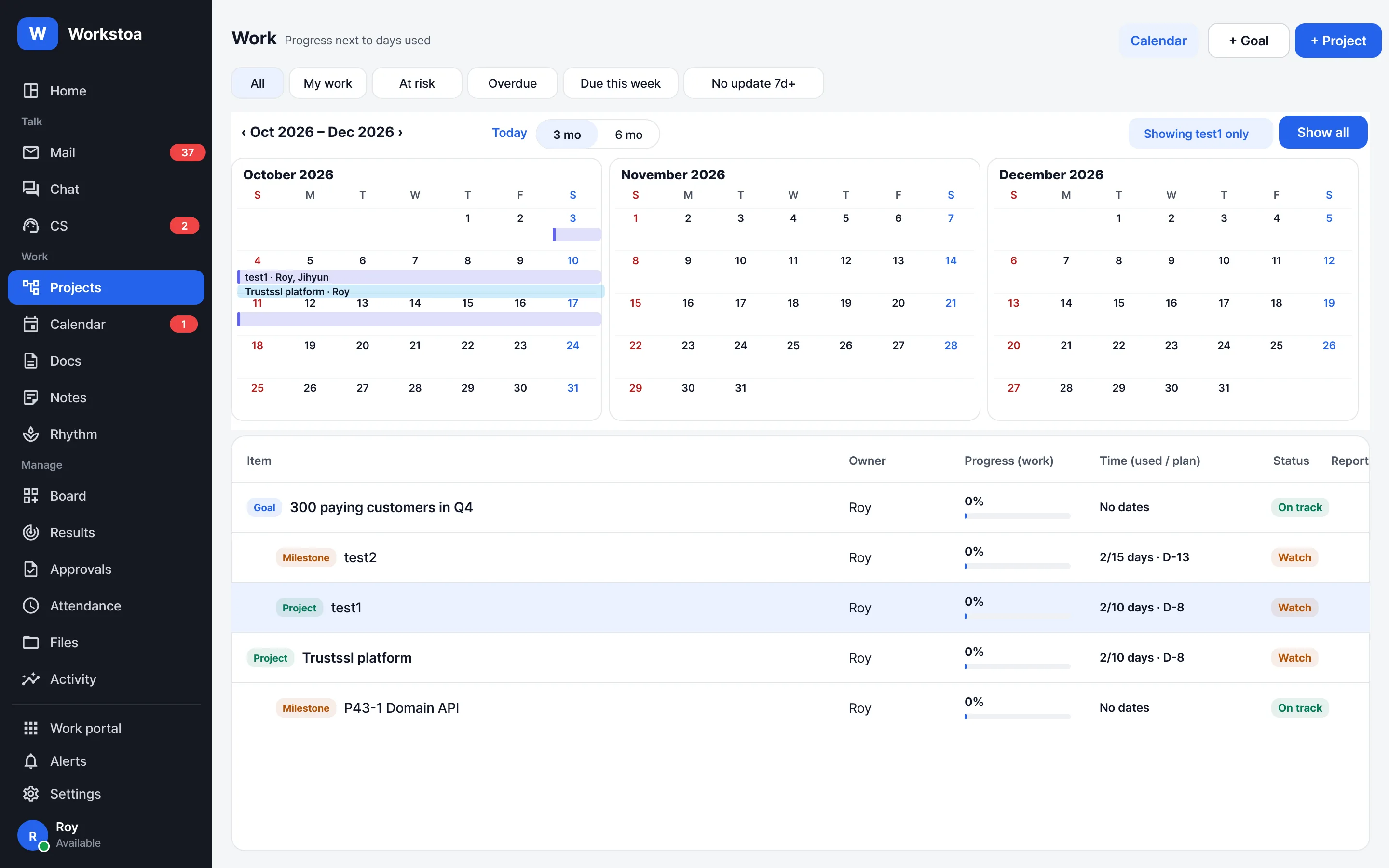
Pick a plan card for your role and drag on the calendar — done. Sorted by urgency automatically, with Google, Outlook and iCloud events on a 3–12 month calendar.
- Goal → project → phase → task, progress next to time spent
- Overdue · due this week · no update come first
- Your Workstoa events in other calendar apps too (iCal feed)
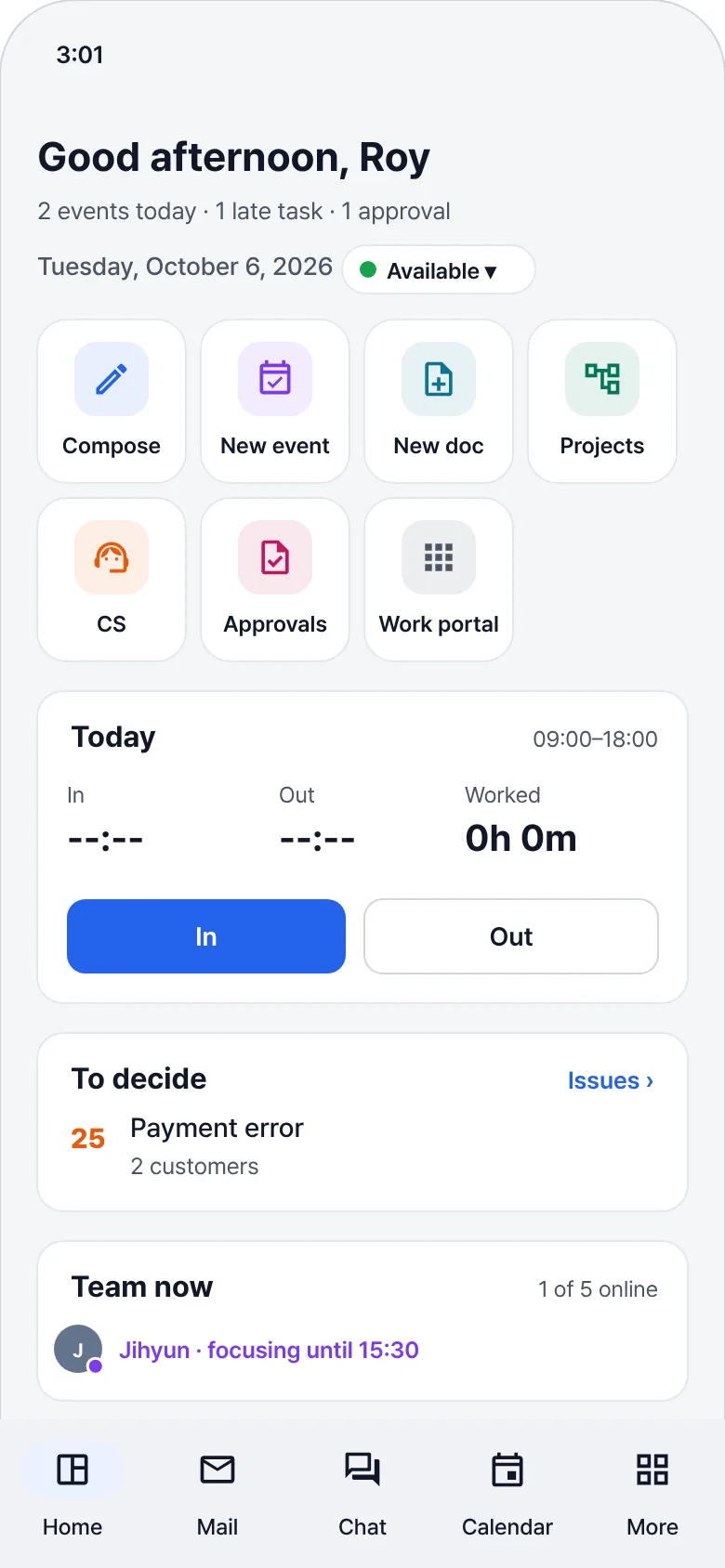
Away from your desk, decide from your phone
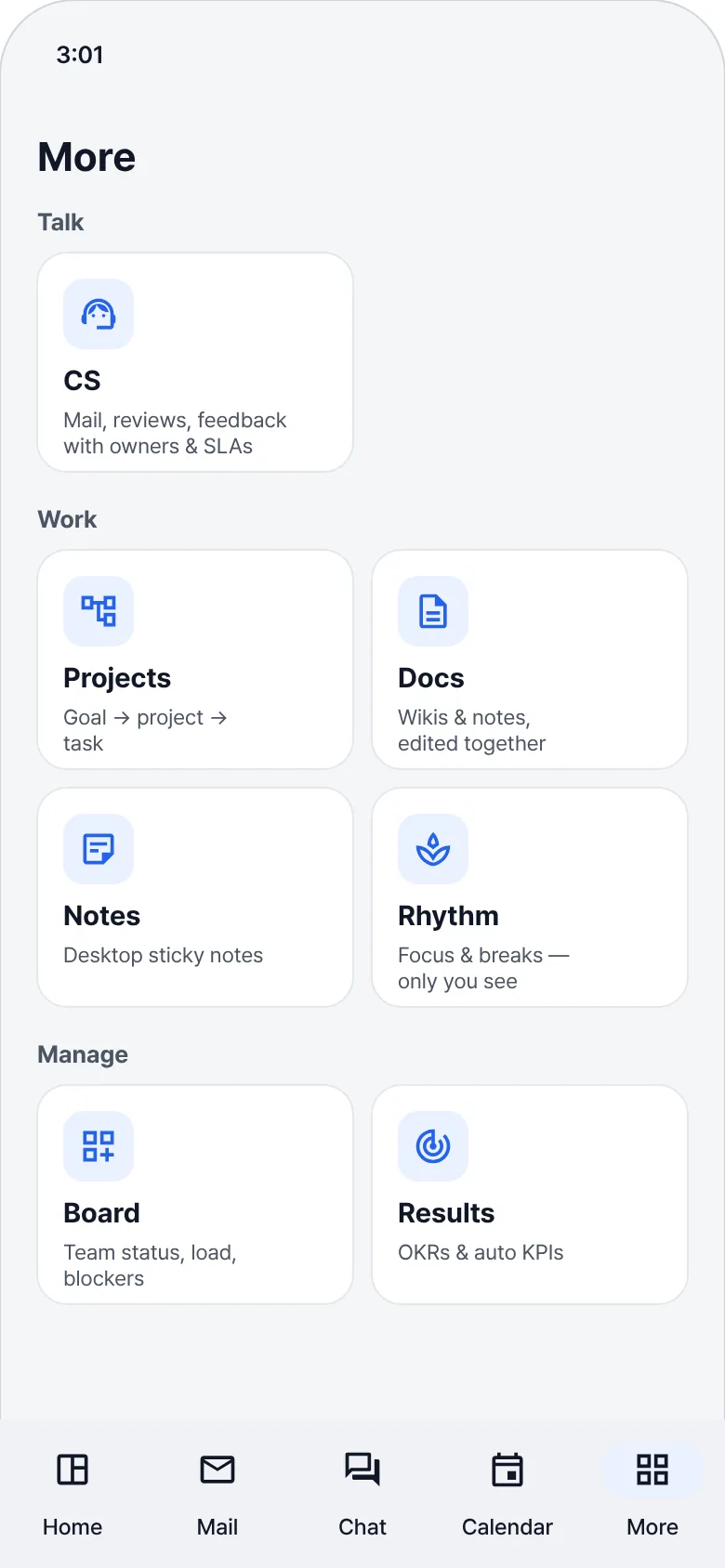
Handle the approvals AI raises while you're on the move. The mobile apps are getting ready for launch.
Everything else you need to work, included
Messenger
Team rooms and 1:1 chats. Unsend for everyone within 2 minutes; fast attachments.
Bookmarks
Messages with passwords, keys, IPs or account numbers are collected automatically. Tap to jump to the conversation.
Calendar sync
Pick and view Google, Outlook, iCloud and Naver calendars.
Docs
Wikis, meeting notes, specs and brainstorming boards — edited together, live, with AI summaries.
Unified search
Mail, chat, docs and tasks in one search box — jump straight to the message you found.
Team board
Not rankings — where things are stuck and what's running late, first.
Attendance · Approvals
Clock-in/out, weekly hours and e-approvals.
Rhythm
Focus and breaks only you can see. Screens and keystrokes are never recorded.
Run log
Every AI action with its evidence, cost and result.
Company data belongs to the company.
Your AI belongs to you.
The more AI works, the more boundaries matter. Workstoa was built around those boundaries from day one.
Complete workspace isolation
Every request is checked against its workspace, so no path can reach another company's mail, chats or files.
Sensitive content stays local
Content containing passwords, keys or account numbers is never sent to cloud AI.
Emergency stop and approvals
External posts and money always need approval. One button stops every AI run.
Per-device sign-in control
See every signed-in device and sign out a lost one right away.
Signature-checked updates
The Windows app installs only code-signed installers and checks the signature before updating.
No tokens in links
Going from the web to the app passes only a one-time code valid for 60 seconds.
We don't charge per seat,
and we don't resell tokens
One price for the whole team. Choose your key, your computer or managed AI — rules and local processing cost nothing extra.
Free
Everyone
$0
- Mail · messenger · calendar · docs · notes · attendance · approvals
- AI Ops board · task candidates
- 10 GB storage · 2 connected mail addresses
AI: rules · AI on this computer · your key
Team
1–10 person businesses · small teams
Flat per workspace / mo
- Everything in Free
- Intelligence monitors · AI team
- 100 GB storage · 10 addresses · support SLAs
- Email support
AI: + automated runs · managed AI credits
Business
Growing companies
Flat per workspace / mo
- Everything in Team
- 1 TB storage · unlimited addresses
- KPIs · OKRs · audit log · workspace AI policy
- Priority support
AI: + shared workspace keys · private AI connections
Paid prices and monitor / AI run limits will be published before general availability. Joining several workspaces never costs extra. Domains and mailboxes can be bundled with TRUSTSSL.
Even while you focus on something else
Install it and sign in with your company mail or a Google · Microsoft account. Register just one topic and tomorrow morning already looks different.